
Docker Course #9: Docker in CI/CD — GitHub Actions and Automation
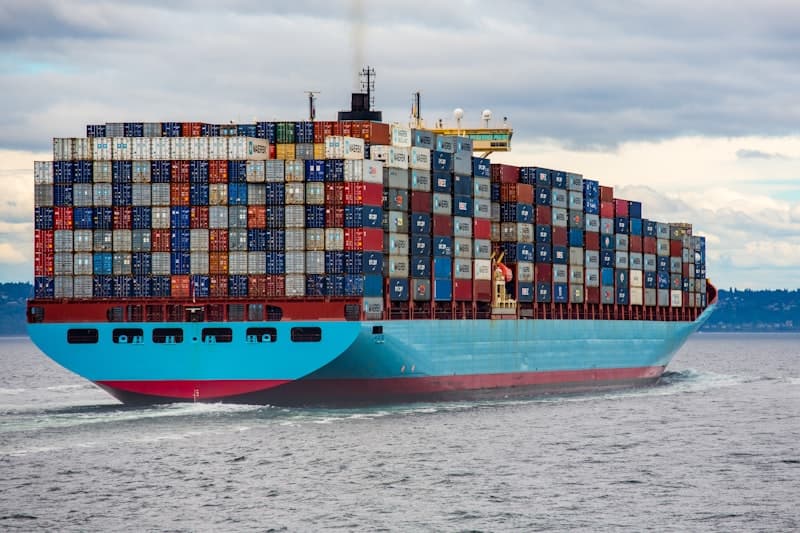
Welcome to the Docker Course - Part 9 of 10. In this article, you will learn how to integrate Docker into CI/CD pipelines using GitHub Actions to automate building, testing, and pushing your container images.

Source: Wikimedia Commons
In the previous articles, you learned how to build Docker images, use Docker Compose, optimize with multi-stage builds, and apply security best practices. Now it is time to automate everything so that every code change automatically builds, tests, and publishes your container images.
Why Docker in CI/CD?
Continuous Integration and Continuous Delivery (CI/CD) is the practice of automatically building, testing, and deploying your application every time you push code changes. Docker fits naturally into CI/CD because:
- Consistency: The same image runs in CI, staging, and production
- Reproducibility: Builds produce identical images regardless of the CI runner
- Speed: Docker layer caching makes subsequent builds much faster
- Isolation: Tests run in containers without polluting the CI environment
- Immutability: Once an image is built and tagged, it never changes
A typical Docker CI/CD pipeline looks like this:
- Code push triggers the pipeline
- Build the Docker image using the Dockerfile
- Test by running tests inside the container
- Scan the image for vulnerabilities (Trivy)
- Push the image to a container registry (GHCR, Docker Hub, ECR)
- Deploy the new image to the target environment
GitHub Actions Basics for Docker
GitHub Actions is a CI/CD platform built into GitHub. Workflows are defined in YAML files inside the .github/workflows/ directory of your repository.
Here is the basic structure of a GitHub Actions workflow:
1# .github/workflows/docker-build.yml
2name: Docker Build and Push
3
4on:
5  push:
6    branches: [main]
7  pull_request:
8    branches: [main]
9
10env:
11  REGISTRY: ghcr.io
12  IMAGE_NAME: ${{ github.repository }}
13
14jobs:
15  build:
16    runs-on: ubuntu-latest
17
18    permissions:
19      contents: read
20      packages: write
21
22    steps:
23      - name: Checkout code
24        uses: actions/checkout@v4
25
26      - name: Set up Docker Buildx
27        uses: docker/setup-buildx-action@v3
28
29      - name: Log in to GitHub Container Registry
30        uses: docker/login-action@v3
31        with:
32          registry: ${{ env.REGISTRY }}
33          username: ${{ github.actor }}
34          password: ${{ secrets.GITHUB_TOKEN }}
35
36      - name: Build and push Docker image
37        uses: docker/build-push-action@v5
38        with:
39          context: .
40          push: ${{ github.event_name != 'pull_request' }}
41          tags: ${{ env.REGISTRY }}/${{ env.IMAGE_NAME }}:latest
Key components:
on- Triggers (push, pull_request, schedule, manual)env- Environment variables available to all jobsjobs- The work units that run on GitHub runnerspermissions- GITHUB_TOKEN permissions for the jobsteps- Individual actions within a job
GITHUB_TOKEN is automatically provided by GitHub Actions. You do not need to create it manually. It has permissions to push to GHCR for the current repository.
Building and Pushing to GHCR
GitHub Container Registry (GHCR) is a free container registry integrated with GitHub. Here is a complete workflow that builds, tags, and pushes images with proper metadata:
1# .github/workflows/docker-publish.yml
2name: Build and Publish Docker Image
3
4on:
5  push:
6    branches: [main]
7    tags: ['v*']
8  pull_request:
9    branches: [main]
10
11env:
12  REGISTRY: ghcr.io
13  IMAGE_NAME: ${{ github.repository }}
14
15jobs:
16  build-and-push:
17    runs-on: ubuntu-latest
18    permissions:
19      contents: read
20      packages: write
21      attestations: write
22      id-token: write
23
24    steps:
25      - name: Checkout repository
26        uses: actions/checkout@v4
27
28      - name: Set up Docker Buildx
29        uses: docker/setup-buildx-action@v3
30
31      - name: Log in to GHCR
32        if: github.event_name != 'pull_request'
33        uses: docker/login-action@v3
34        with:
35          registry: ${{ env.REGISTRY }}
36          username: ${{ github.actor }}
37          password: ${{ secrets.GITHUB_TOKEN }}
38
39      - name: Extract metadata (tags, labels)
40        id: meta
41        uses: docker/metadata-action@v5
42        with:
43          images: ${{ env.REGISTRY }}/${{ env.IMAGE_NAME }}
44          tags: |
45            type=ref,event=branch
46            type=ref,event=pr
47            type=semver,pattern={{version}}
48            type=semver,pattern={{major}}.{{minor}}
49            type=sha,prefix=
50
51      - name: Build and push
52        id: push
53        uses: docker/build-push-action@v5
54        with:
55          context: .
56          push: ${{ github.event_name != 'pull_request' }}
57          tags: ${{ steps.meta.outputs.tags }}
58          labels: ${{ steps.meta.outputs.labels }}
59          cache-from: type=gha
60          cache-to: type=gha,mode=max
This workflow produces smart tags based on the Git event:
| Git Event | Image Tag |
|---|---|
Push to main |
ghcr.io/user/repo:main |
| Pull request #42 | ghcr.io/user/repo:pr-42 |
Tag v1.2.3 |
ghcr.io/user/repo:1.2.3, :1.2 |
| Any commit | ghcr.io/user/repo:abc1234 (SHA) |
Caching with BuildKit in CI
Docker builds in CI can be slow because the runner starts fresh each time. BuildKit caching solves this by storing build layers between runs.
GitHub Actions Cache (GHA)
The simplest approach uses GitHub's built-in cache:
1- name: Build and push
2  uses: docker/build-push-action@v5
3  with:
4    context: .
5    push: true
6    tags: ${{ steps.meta.outputs.tags }}
7    cache-from: type=gha
8    cache-to: type=gha,mode=max
Registry Cache
Store cache layers in the container registry itself:
1- name: Build and push
2  uses: docker/build-push-action@v5
3  with:
4    context: .
5    push: true
6    tags: ${{ steps.meta.outputs.tags }}
7    cache-from: type=registry,ref=${{ env.REGISTRY }}/${{ env.IMAGE_NAME }}:buildcache
8    cache-to: type=registry,ref=${{ env.REGISTRY }}/${{ env.IMAGE_NAME }}:buildcache,mode=max
Inline Cache
Embed cache metadata directly in the image (simpler but less efficient):
1- name: Build and push
2  uses: docker/build-push-action@v5
3  with:
4    context: .
5    push: true
6    tags: ${{ steps.meta.outputs.tags }}
7    cache-from: type=registry,ref=${{ env.REGISTRY }}/${{ env.IMAGE_NAME }}:latest
8 cache-to: type=inlinetype=gha is the best choice. It is fast, simple, and included with GitHub Actions. Use type=registry if you need to share cache across different CI systems or repositories.
Multi-Platform Builds
Modern applications often need to run on both AMD64 (Intel/AMD) and ARM64 (Apple Silicon, AWS Graviton, Raspberry Pi) architectures. Docker Buildx makes multi-platform builds easy:
1# .github/workflows/multi-platform.yml
2name: Multi-Platform Build
3
4on:
5  push:
6    tags: ['v*']
7
8jobs:
9  build:
10    runs-on: ubuntu-latest
11    permissions:
12      contents: read
13      packages: write
14
15    steps:
16      - name: Checkout
17        uses: actions/checkout@v4
18
19      - name: Set up QEMU (for cross-platform emulation)
20        uses: docker/setup-qemu-action@v3
21
22      - name: Set up Docker Buildx
23        uses: docker/setup-buildx-action@v3
24
25      - name: Log in to GHCR
26        uses: docker/login-action@v3
27        with:
28          registry: ghcr.io
29          username: ${{ github.actor }}
30          password: ${{ secrets.GITHUB_TOKEN }}
31
32      - name: Build and push multi-platform
33        uses: docker/build-push-action@v5
34        with:
35          context: .
36          platforms: linux/amd64,linux/arm64
37          push: true
38          tags: |
39            ghcr.io/${{ github.repository }}:latest
40            ghcr.io/${{ github.repository }}:${{ github.ref_name }}
41          cache-from: type=gha
42 cache-to: type=gha,mode=maxruns-on: ubuntu-latest-arm64) or building each platform separately and creating a manifest list.
Automated Testing in Containers
Running tests inside Docker containers ensures your tests run in the same environment as production. Here are several approaches:
Approach 1: Test stage in Dockerfile
1# Dockerfile with test stage
2FROM node:20-alpine AS builder
3WORKDIR /app
4COPY package*.json ./
5RUN npm ci
6COPY . .
7
8# Test stage (can be targeted separately)
9FROM builder AS tester
10RUN npm run test
11RUN npm run lint
12
13# Production stage
14FROM node:20-alpine AS runtime
15WORKDIR /app
16COPY --from=builder /app/dist ./dist
17COPY --from=builder /app/node_modules ./node_modules
18CMD ["node", "dist/index.js"]1# Run tests in CI by targeting the test stage
2- name: Run tests
3 uses: docker/build-push-action@v5
4 with:
5 context: .
6 target: tester
7 push: false # Don't push the test imageApproach 2: Docker Compose for integration tests
1# docker-compose.test.yml
2services:
3  api:
4    build:
5      context: .
6      target: builder
7    command: npm run test:integration
8    environment:
9      DATABASE_URL: postgresql://test:test@database:5432/testdb
10      REDIS_URL: redis://cache:6379
11    depends_on:
12      database:
13        condition: service_healthy
14      cache:
15        condition: service_healthy
16
17  database:
18    image: postgres:16-alpine
19    environment:
20      POSTGRES_DB: testdb
21      POSTGRES_USER: test
22      POSTGRES_PASSWORD: test
23    healthcheck:
24      test: ["CMD-SHELL", "pg_isready -U test"]
25      interval: 5s
26      timeout: 5s
27      retries: 5
28
29  cache:
30    image: redis:7-alpine
31    healthcheck:
32      test: ["CMD", "redis-cli", "ping"]
33      interval: 5s
34      timeout: 5s
35 retries: 31# GitHub Actions step for integration tests
2- name: Run integration tests
3 run: |
4 docker compose -f docker-compose.test.yml up --build --abort-on-container-exit --exit-code-from api
5
6- name: Clean up test environment
7 if: always()
8 run: docker compose -f docker-compose.test.yml down -vApproach 3: Service containers in GitHub Actions
1jobs:
2  test:
3    runs-on: ubuntu-latest
4
5    services:
6      postgres:
7        image: postgres:16-alpine
8        env:
9          POSTGRES_DB: testdb
10          POSTGRES_USER: test
11          POSTGRES_PASSWORD: test
12        ports:
13          - 5432:5432
14        options: >-
15          --health-cmd "pg_isready -U test"
16          --health-interval 10s
17          --health-timeout 5s
18          --health-retries 5
19
20      redis:
21        image: redis:7-alpine
22        ports:
23          - 6379:6379
24        options: >-
25          --health-cmd "redis-cli ping"
26          --health-interval 10s
27          --health-timeout 5s
28          --health-retries 5
29
30    steps:
31      - uses: actions/checkout@v4
32      - uses: actions/setup-node@v4
33        with:
34          node-version: 20
35      - run: npm ci
36      - run: npm run test:integration
37        env:
38          DATABASE_URL: postgresql://test:test@localhost:5432/testdb
39          REDIS_URL: redis://localhost:6379
Complete Production Workflow
Here is a complete, production-ready GitHub Actions workflow that combines everything we have covered. This is the workflow you would use for a real project:
1# .github/workflows/ci-cd.yml
2name: CI/CD Pipeline
3
4on:
5  push:
6    branches: [main, develop]
7    tags: ['v*']
8  pull_request:
9    branches: [main]
10
11env:
12  REGISTRY: ghcr.io
13  IMAGE_NAME: ${{ github.repository }}
14
15jobs:
16  # Job 1: Run tests
17  test:
18    runs-on: ubuntu-latest
19    services:
20      postgres:
21        image: postgres:16-alpine
22        env:
23          POSTGRES_DB: testdb
24          POSTGRES_USER: test
25          POSTGRES_PASSWORD: testpass
26        ports:
27          - 5432:5432
28        options: >-
29          --health-cmd "pg_isready -U test"
30          --health-interval 10s
31          --health-timeout 5s
32          --health-retries 5
33
34    steps:
35      - uses: actions/checkout@v4
36      - uses: actions/setup-node@v4
37        with:
38          node-version: 20
39          cache: npm
40
41      - run: npm ci
42      - run: npm run lint
43      - run: npm run test
44        env:
45          DATABASE_URL: postgresql://test:testpass@localhost:5432/testdb
46
47  # Job 2: Build, scan, and push Docker image
48  build:
49    needs: test
50    runs-on: ubuntu-latest
51    permissions:
52      contents: read
53      packages: write
54      security-events: write
55
56    steps:
57      - name: Checkout
58        uses: actions/checkout@v4
59
60      - name: Set up Docker Buildx
61        uses: docker/setup-buildx-action@v3
62
63      - name: Log in to GHCR
64        if: github.event_name != 'pull_request'
65        uses: docker/login-action@v3
66        with:
67          registry: ${{ env.REGISTRY }}
68          username: ${{ github.actor }}
69          password: ${{ secrets.GITHUB_TOKEN }}
70
71      - name: Extract metadata
72        id: meta
73        uses: docker/metadata-action@v5
74        with:
75          images: ${{ env.REGISTRY }}/${{ env.IMAGE_NAME }}
76          tags: |
77            type=ref,event=branch
78            type=ref,event=pr
79            type=semver,pattern={{version}}
80            type=semver,pattern={{major}}.{{minor}}
81            type=sha,prefix=
82
83      - name: Build image (for scanning)
84        uses: docker/build-push-action@v5
85        with:
86          context: .
87          load: true
88          tags: ${{ env.IMAGE_NAME }}:scan
89          cache-from: type=gha
90          cache-to: type=gha,mode=max
91
92      - name: Scan image with Trivy
93        uses: aquasecurity/trivy-action@master
94        with:
95          image-ref: ${{ env.IMAGE_NAME }}:scan
96          format: sarif
97          output: trivy-results.sarif
98          severity: CRITICAL,HIGH
99
100      - name: Upload Trivy scan results
101        uses: github/codeql-action/upload-sarif@v3
102        if: always()
103        with:
104          sarif_file: trivy-results.sarif
105
106      - name: Build and push
107        if: github.event_name != 'pull_request'
108        uses: docker/build-push-action@v5
109        with:
110          context: .
111          push: true
112          tags: ${{ steps.meta.outputs.tags }}
113          labels: ${{ steps.meta.outputs.labels }}
114          cache-from: type=gha
115          cache-to: type=gha,mode=max
116
117  # Job 3: Deploy (only on main branch or tags)
118  deploy:
119    needs: build
120    if: github.ref == 'refs/heads/main' || startsWith(github.ref, 'refs/tags/v')
121    runs-on: ubuntu-latest
122    environment: production
123
124    steps:
125      - name: Deploy to production
126        run: |
127          echo "Deploying ${{ env.REGISTRY }}/${{ env.IMAGE_NAME }}:main"
128          # Add your deployment commands here:
129          # - SSH to server and docker pull + docker compose up
130          # - kubectl set image deployment/app ...
131          # - aws ecs update-service ...
132 echo "Deployment complete!"Docker Layer Caching Strategies
Efficient caching can reduce your CI build times from minutes to seconds. Here is a summary of the caching strategies available:
| Strategy | Speed | Setup | Best For |
|---|---|---|---|
| GHA Cache | Fast | Simple | Most GitHub Actions workflows |
| Registry Cache | Medium | Simple | Cross-repo sharing, non-GitHub CI |
| Local Cache | Fastest | Complex | Self-hosted runners with persistent storage |
| Inline Cache | Slow | Simplest | Simple projects, quick setup |
Optimize your Dockerfile for caching by ordering instructions from least to most frequently changing:
1# GOOD: Optimized layer order for caching
2FROM node:20-alpine AS builder
3WORKDIR /app
4
5# 1. System dependencies (rarely change)
6RUN apk add --no-cache python3 make g++
7
8# 2. Package manifest (changes when dependencies change)
9COPY package*.json ./
10
11# 3. Install dependencies (cached unless package.json changes)
12RUN npm ci
13
14# 4. Source code (changes most frequently - last!)
15COPY . .
16RUN npm run build
For more details, check the official Docker CI/CD documentation: https://docs.docker.com/build/ci/github-actions/
Summary and Next Steps
In this article, you learned how to automate Docker workflows with GitHub Actions. Here is what we covered:
- Docker in CI/CD: Why containers and automation are a natural fit
- GitHub Actions basics: Workflow structure, triggers, and permissions
- Building and pushing to GHCR: Smart tagging with metadata-action
- Caching strategies: GHA, registry, inline, and local caching
- Multi-platform builds: Building for AMD64 and ARM64
- Automated testing: Test stages, Docker Compose, and service containers
- Complete workflow: Test, build, scan, push, and deploy
- Layer caching: Dockerfile ordering for optimal cache hits
Comments
Sign in to leave a comment
No comments yet. Be the first!
Related Articles
Stay updated
Get notified when I publish new articles in English. No spam, unsubscribe anytime.