
Curso Docker #9: Docker en CI/CD — GitHub Actions y Automatizacion
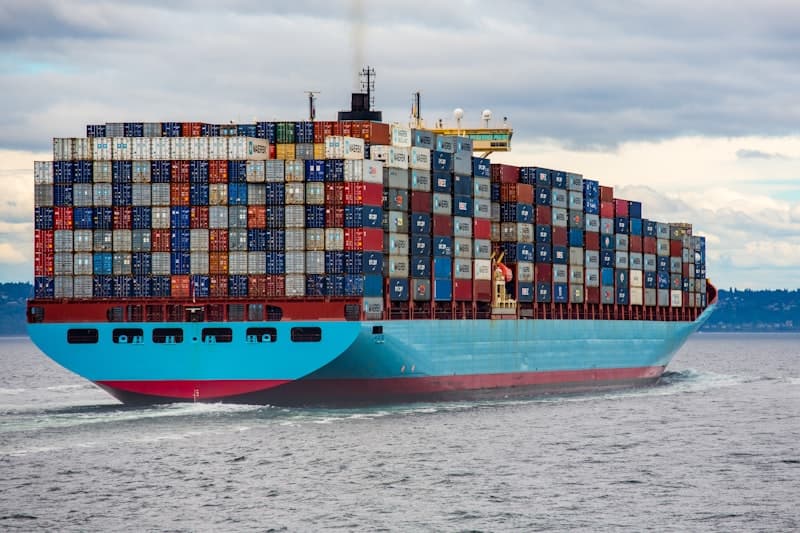
Bienvenido al Curso de Docker - Parte 9 de 10. Hasta ahora hemos construido imagenes y levantado contenedores manualmente. En el mundo real, nadie deberia hacer build y push a mano. Los pipelines de CI/CD (Integracion Continua / Despliegue Continuo) automatizan todo el proceso: desde el commit hasta produccion.

Fuente: Wikimedia Commons
En este articulo aprenderemos a integrar Docker con GitHub Actions para automatizar builds, tests, escaneo de seguridad y publicacion de imagenes.
Docker en pipelines de CI/CD: el flujo completo
Un pipeline tipico de Docker en CI/CD sigue estos pasos:
- Trigger: un push o pull request activa el pipeline
- Checkout: se descarga el codigo fuente
- Build: se construye la imagen Docker
- Test: se ejecutan tests dentro de un contenedor
- Scan: se escanea la imagen con Trivy en busca de vulnerabilidades
- Push: se publica la imagen en un registry (GHCR, Docker Hub, ECR)
- Deploy: se despliega la nueva imagen en produccion
1# Flujo visual:
2# commit -> build -> test -> scan -> push -> deploy
3#   |         |        |       |       |        |
4# git Dockerfile jest trivy GHCR docker pullghcr.io) es el registro de imagenes Docker de GitHub. Es gratuito para repositorios publicos y se integra nativamente con GitHub Actions. Es la alternativa de GitHub a Docker Hub.
Configurar GitHub Actions para Docker
GitHub Actions usa archivos YAML en .github/workflows/. Empecemos con un workflow basico que construye y publica una imagen Docker:
1# .github/workflows/docker-build.yml
2name: Docker Build & Push
3
4on:
5  push:
6    branches: [main]
7  pull_request:
8    branches: [main]
9
10env:
11  REGISTRY: ghcr.io
12  IMAGE_NAME: ${{ github.repository }}
13
14jobs:
15  build:
16    runs-on: ubuntu-latest
17    permissions:
18      contents: read
19      packages: write
20
21    steps:
22      # 1. Checkout del codigo
23      - name: Checkout repository
24        uses: actions/checkout@v4
25
26      # 2. Configurar Docker Buildx
27      - name: Set up Docker Buildx
28        uses: docker/setup-buildx-action@v3
29
30      # 3. Login en GHCR
31      - name: Log in to GitHub Container Registry
32        uses: docker/login-action@v3
33        with:
34          registry: ${{ env.REGISTRY }}
35          username: ${{ github.actor }}
36          password: ${{ secrets.GITHUB_TOKEN }}
37
38      # 4. Extraer metadata (tags, labels)
39      - name: Extract Docker metadata
40        id: meta
41        uses: docker/metadata-action@v5
42        with:
43          images: ${{ env.REGISTRY }}/${{ env.IMAGE_NAME }}
44          tags: |
45            type=sha
46            type=ref,event=branch
47            type=semver,pattern={{version}}
48            type=raw,value=latest,enable={{is_default_branch}}
49
50      # 5. Build y push
51      - name: Build and push Docker image
52        uses: docker/build-push-action@v5
53        with:
54          context: .
55          push: ${{ github.event_name != 'pull_request' }}
56          tags: ${{ steps.meta.outputs.tags }}
57          labels: ${{ steps.meta.outputs.labels }}
58          cache-from: type=gha
59          cache-to: type=gha,mode=max
Este workflow hace lo siguiente:
- Se ejecuta en cada push a
mainy en pull requests - Usa Buildx para builds avanzados con cache
- Se autentica en GHCR con el token automatico de GitHub
- Genera tags automaticos basados en el SHA del commit, la rama y versiones semanticas
- Solo hace push en pushes a main (no en pull requests)
secrets.GITHUB_TOKEN es un token automatico que GitHub genera para cada ejecucion del workflow. No necesitas crear ningun secret manualmente para autenticarte en GHCR.
Cache de capas Docker en CI
Sin cache, cada build reconstruye todas las capas desde cero, lo cual es muy lento. GitHub Actions ofrece varias estrategias de cache:
1# Estrategia 1: GitHub Actions Cache (recomendada)
2- name: Build and push
3  uses: docker/build-push-action@v5
4  with:
5    context: .
6    push: true
7    tags: ${{ steps.meta.outputs.tags }}
8    cache-from: type=gha
9    cache-to: type=gha,mode=max
10
11# Estrategia 2: Registry Cache (para equipos grandes)
12- name: Build and push
13  uses: docker/build-push-action@v5
14  with:
15    context: .
16    push: true
17    tags: ${{ steps.meta.outputs.tags }}
18    cache-from: type=registry,ref=ghcr.io/mi-org/mi-app:cache
19    cache-to: type=registry,ref=ghcr.io/mi-org/mi-app:cache,mode=max
20
21# Estrategia 3: Cache local con acciones de cache
22- name: Cache Docker layers
23  uses: actions/cache@v4
24  with:
25    path: /tmp/.buildx-cache
26    key: ${{ runner.os }}-buildx-${{ github.sha }}
27    restore-keys: |
28 ${{ runner.os }}-buildx-| Estrategia | Velocidad | Tamano max | Compartida entre PRs |
|---|---|---|---|
| GHA Cache | Rapida | 10 GB | Si |
| Registry Cache | Media | Ilimitado | Si |
| Local Cache | Rapida | 10 GB | No |
Tests automatizados en contenedores
Ejecutar tests dentro de contenedores garantiza que el entorno de testing es identico al de produccion. Hay varias formas de hacerlo:
1# Opcion 1: Build multi-stage con etapa de tests
2# En el Dockerfile:
3# FROM node:20-alpine AS test
4# WORKDIR /app
5# COPY . .
6# RUN npm ci
7# RUN npm test
8
9# En el workflow:
10- name: Run tests in Docker
11  run: |
12    docker build --target test -t mi-app:test .
13
14# Opcion 2: Docker Compose para tests de integracion
15- name: Run integration tests
16  run: |
17    docker compose -f docker-compose.test.yml up --build --abort-on-container-exit --exit-code-from tests
18    docker compose -f docker-compose.test.yml down -v
Un archivo docker-compose.test.yml para tests de integracion:
1# docker-compose.test.yml
2services:
3  db:
4    image: postgres:16-alpine
5    environment:
6      POSTGRES_DB: test_db
7      POSTGRES_USER: test_user
8      POSTGRES_PASSWORD: test_pass
9    healthcheck:
10      test: ["CMD-SHELL", "pg_isready -U test_user -d test_db"]
11      interval: 5s
12      timeout: 5s
13      retries: 5
14
15  tests:
16    build:
17      context: .
18      target: test
19    depends_on:
20      db:
21        condition: service_healthy
22    environment:
23      DATABASE_URL: postgresql://test_user:test_pass@db:5432/test_db
24      NODE_ENV: test
25 command: npm run test:integration--abort-on-container-exit para que Docker Compose se detenga cuando el contenedor de tests termine. Usa --exit-code-from tests para que el pipeline falle si los tests fallan.
Escaneo de seguridad en el pipeline
Integremos Trivy para escanear vulnerabilidades automaticamente:
1# Agregar al workflow despues del build
2- name: Run Trivy vulnerability scanner
3  uses: aquasecurity/trivy-action@master
4  with:
5    image-ref: ${{ env.REGISTRY }}/${{ env.IMAGE_NAME }}:latest
6    format: 'sarif'
7    output: 'trivy-results.sarif'
8    severity: 'CRITICAL,HIGH'
9
10# Subir resultados a GitHub Security
11- name: Upload Trivy scan results
12  uses: github/codeql-action/upload-sarif@v3
13  if: always()
14  with:
15    sarif_file: 'trivy-results.sarif'
16
17# Fallar el pipeline si hay vulnerabilidades criticas
18- name: Fail on critical vulnerabilities
19  uses: aquasecurity/trivy-action@master
20  with:
21    image-ref: ${{ env.REGISTRY }}/${{ env.IMAGE_NAME }}:latest
22    severity: 'CRITICAL'
23    exit-code: '1'
Los resultados aparecen directamente en la pestana Security de tu repositorio en GitHub, con detalles de cada vulnerabilidad y recomendaciones de correccion.
Builds multi-plataforma
Si necesitas soportar multiples arquitecturas (AMD64 para servidores y ARM64 para Apple Silicon o AWS Graviton), Docker Buildx lo hace facil:
1# Agregar QEMU para emulacion de arquitecturas
2- name: Set up QEMU
3  uses: docker/setup-qemu-action@v3
4
5- name: Set up Docker Buildx
6  uses: docker/setup-buildx-action@v3
7
8- name: Build and push multi-platform
9  uses: docker/build-push-action@v5
10  with:
11    context: .
12    platforms: linux/amd64,linux/arm64
13    push: true
14    tags: ${{ steps.meta.outputs.tags }}
15    cache-from: type=gha
16    cache-to: type=gha,mode=max
Docker crea un manifest list que contiene ambas imagenes. Cuando alguien hace docker pull, Docker automaticamente descarga la imagen correcta para su arquitectura.
1# Verificar las plataformas de una imagen
2docker manifest inspect ghcr.io/mi-usuario/mi-app:latest
3
4# Resultado:
5# {
6#   "manifests": [
7#     { "platform": { "architecture": "amd64", "os": "linux" } },
8#     { "platform": { "architecture": "arm64", "os": "linux" } }
9#   ]
10# }Workflow completo de produccion
Aqui el workflow completo que combina todo lo aprendido: build, test, scan, push y notificacion:
1# .github/workflows/docker-production.yml
2name: Docker Production Pipeline
3
4on:
5  push:
6    branches: [main]
7    tags: ['v*']
8  pull_request:
9    branches: [main]
10
11env:
12  REGISTRY: ghcr.io
13  IMAGE_NAME: ${{ github.repository }}
14
15jobs:
16  # ---- Job 1: Tests ----
17  test:
18    runs-on: ubuntu-latest
19    steps:
20      - uses: actions/checkout@v4
21
22      - name: Run unit tests
23        run: |
24          docker compose -f docker-compose.test.yml up \
25            --build \
26            --abort-on-container-exit \
27            --exit-code-from tests
28
29      - name: Cleanup
30        if: always()
31        run: docker compose -f docker-compose.test.yml down -v
32
33  # ---- Job 2: Build & Push ----
34  build:
35    runs-on: ubuntu-latest
36    needs: test
37    permissions:
38      contents: read
39      packages: write
40      security-events: write
41    outputs:
42      image-tag: ${{ steps.meta.outputs.version }}
43
44    steps:
45      - uses: actions/checkout@v4
46
47      - name: Set up QEMU
48        uses: docker/setup-qemu-action@v3
49
50      - name: Set up Docker Buildx
51        uses: docker/setup-buildx-action@v3
52
53      - name: Log in to GHCR
54        if: github.event_name != 'pull_request'
55        uses: docker/login-action@v3
56        with:
57          registry: ${{ env.REGISTRY }}
58          username: ${{ github.actor }}
59          password: ${{ secrets.GITHUB_TOKEN }}
60
61      - name: Extract metadata
62        id: meta
63        uses: docker/metadata-action@v5
64        with:
65          images: ${{ env.REGISTRY }}/${{ env.IMAGE_NAME }}
66          tags: |
67            type=sha
68            type=ref,event=branch
69            type=semver,pattern={{version}}
70            type=semver,pattern={{major}}.{{minor}}
71            type=raw,value=latest,enable={{is_default_branch}}
72
73      - name: Build and push
74        uses: docker/build-push-action@v5
75        with:
76          context: .
77          platforms: linux/amd64,linux/arm64
78          push: ${{ github.event_name != 'pull_request' }}
79          tags: ${{ steps.meta.outputs.tags }}
80          labels: ${{ steps.meta.outputs.labels }}
81          cache-from: type=gha
82          cache-to: type=gha,mode=max
83
84      # ---- Seguridad ----
85      - name: Scan for vulnerabilities
86        uses: aquasecurity/trivy-action@master
87        with:
88          image-ref: ${{ env.REGISTRY }}/${{ env.IMAGE_NAME }}:latest
89          format: 'sarif'
90          output: 'trivy-results.sarif'
91          severity: 'CRITICAL,HIGH'
92
93      - name: Upload scan results
94        uses: github/codeql-action/upload-sarif@v3
95        if: always()
96        with:
97          sarif_file: 'trivy-results.sarif'
98
99  # ---- Job 3: Deploy (solo en tags) ----
100  deploy:
101    runs-on: ubuntu-latest
102    needs: build
103    if: startsWith(github.ref, 'refs/tags/v')
104    environment: production
105    steps:
106      - name: Deploy to production
107        run: |
108          echo "Deploying ${{ env.REGISTRY }}/${{ env.IMAGE_NAME }}:${{ needs.build.outputs.image-tag }}"
109          # Aqui iria tu logica de deploy:
110          # - SSH al servidor y docker pull
111          # - kubectl set image
112          # - aws ecs update-service
113 # - etc.environment: production en el job de deploy para habilitar protecciones como aprobaciones manuales y secretos especificos del entorno en GitHub.
Resumen y siguiente articulo
En este articulo aprendimos a automatizar Docker con GitHub Actions:
- Pipeline completo: build, test, scan, push y deploy automatizados
- GHCR: publicar imagenes en GitHub Container Registry
- Cache: GHA cache, registry cache y local cache para builds rapidos
- Tests en contenedores: docker compose para tests de integracion
- Escaneo de seguridad: Trivy integrado con GitHub Security
- Multi-plataforma: builds para AMD64 y ARM64 con QEMU y Buildx
- Workflow de produccion: pipeline completo listo para usar
Comments
Sign in to leave a comment
No comments yet. Be the first!
Related Articles
Mantente actualizado
Recibe notificaciones cuando publique nuevos artículos en español. Sin spam, cancela cuando quieras.