
OpenTelemetry: The Observability Standard in 2026 — Complete Guide
What Is Observability and Why Does It Matter?
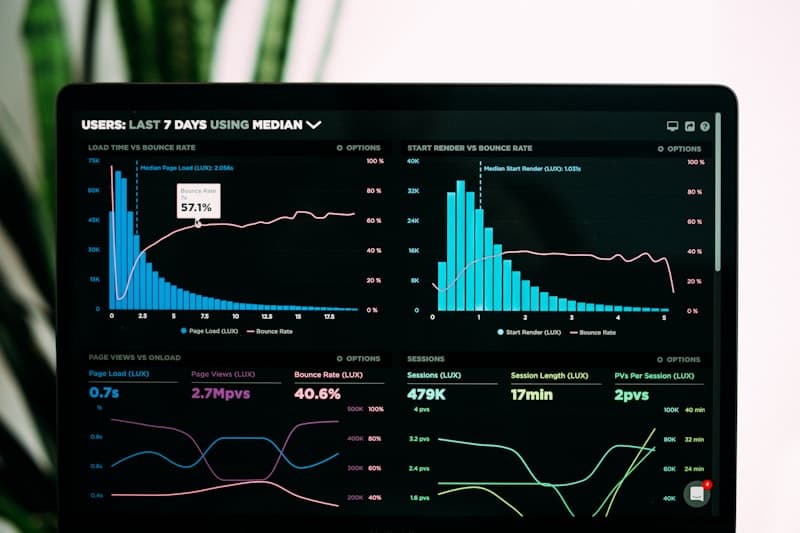
Observability is the ability to understand the internal state of a system from its external outputs. Unlike traditional monitoring, which answers predefined questions ("Is the server up?"), observability lets you ask questions you never anticipated: "Why did this specific request take 12 seconds only for users in Brazil?"
The three pillars of observability are:
- Logs — Textual records of discrete events. Useful for pinpoint debugging.
- Metrics — Numeric values aggregated over time (p99 latency, error rate, CPU usage).
- Traces — The complete journey of a request across multiple services.
The historical problem is that each pillar used different tools with incompatible formats. OpenTelemetry solves exactly this: a unified standard for all three pillars.
What Is OpenTelemetry (OTel)?
OpenTelemetry is an open-source, vendor-neutral observability framework that provides APIs, SDKs, and tools for generating, collecting, and exporting telemetry data (traces, metrics, and logs). It was born in 2019 from the merger of two projects: OpenTracing and OpenCensus.
The value proposition is clear: you instrument your code once with OTel and can send data to any backend — Jaeger, Grafana Tempo, Datadog, New Relic, Prometheus, Elastic — without changing your code.
Core OTel Components
- API — Defines instrumentation interfaces (Tracer, Meter, Logger). Stable and safe for libraries.
- SDK — API implementation with processing, sampling, and export capabilities.
- OTel Collector — Standalone agent that receives, processes, and exports telemetry.
- Exporters — Plugins that send data to the final backend (OTLP, Jaeger, Prometheus, etc.).
- Auto-instrumentation — Agents that instrument popular frameworks with zero code changes.
OpenTelemetry Collector Architecture
The OTel Collector is the heart of any OpenTelemetry observability pipeline. It acts as an intelligent proxy between your applications and storage backends.
Its architecture is based on three components connected in a pipeline:
- Receivers — Accept data in multiple formats (OTLP, Jaeger, Zipkin, Prometheus).
- Processors — Transform, filter, and enrich data (batch, memory limiter, attributes).
- Exporters — Send data to the final destination (OTLP, Prometheus, Loki, etc.).
1# otel-collector-config.yaml
2receivers:
3  otlp:
4    protocols:
5      grpc:
6        endpoint: 0.0.0.0:4317
7      http:
8        endpoint: 0.0.0.0:4318
9
10processors:
11  batch:
12    timeout: 5s
13    send_batch_size: 1024
14  memory_limiter:
15    check_interval: 1s
16    limit_mib: 512
17    spike_limit_mib: 128
18  attributes:
19    actions:
20      - key: environment
21        value: production
22        action: upsert
23
24exporters:
25  otlp/tempo:
26    endpoint: tempo:4317
27    tls:
28      insecure: true
29  prometheus:
30    endpoint: 0.0.0.0:8889
31    namespace: myapp
32  loki:
33    endpoint: http://loki:3100/loki/api/v1/push
34
35service:
36  pipelines:
37    traces:
38      receivers: [otlp]
39      processors: [memory_limiter, batch, attributes]
40      exporters: [otlp/tempo]
41    metrics:
42      receivers: [otlp]
43      processors: [memory_limiter, batch]
44      exporters: [prometheus]
45    logs:
46      receivers: [otlp]
47      processors: [memory_limiter, batch]
48 exporters: [loki]memory_limiter processor first in the chain. This prevents a telemetry spike from crashing the Collector due to memory exhaustion.
Auto-Instrumentation for Java (Spring Boot)
One of OTel's greatest advantages is auto-instrumentation: you can get complete traces from your Spring Boot application without writing a single line of instrumentation code. You just need to attach the Java agent.
1# Dockerfile for Spring Boot with OTel Agent
2FROM eclipse-temurin:21-jre-alpine
3
4WORKDIR /app
5
6# Download the OpenTelemetry agent
7ADD https://github.com/open-telemetry/opentelemetry-java-instrumentation/releases/latest/download/opentelemetry-javaagent.jar /app/otel-agent.jar
8
9COPY target/my-api-0.0.1-SNAPSHOT.jar /app/app.jar
10
11ENV OTEL_SERVICE_NAME=my-spring-api
12ENV OTEL_EXPORTER_OTLP_ENDPOINT=http://otel-collector:4317
13ENV OTEL_EXPORTER_OTLP_PROTOCOL=grpc
14ENV OTEL_TRACES_SAMPLER=parentbased_traceidratio
15ENV OTEL_TRACES_SAMPLER_ARG=0.5
16ENV OTEL_METRICS_EXPORTER=otlp
17ENV OTEL_LOGS_EXPORTER=otlp
18ENV OTEL_RESOURCE_ATTRIBUTES=deployment.environment=production,service.version=1.2.0
19
20EXPOSE 8080
21
22ENTRYPOINT ["java", "-javaagent:/app/otel-agent.jar", "-jar", "/app/app.jar"]
With this setup, the agent automatically captures:
- All incoming HTTP requests (Spring MVC / WebFlux)
- Database calls (JDBC, R2DBC)
- Outgoing HTTP requests (RestTemplate, WebClient, HttpClient)
- Messaging (Kafka, RabbitMQ, SQS)
- Caching (Redis, Caffeine)
parentbased_traceidratio sampler with arg 0.5 only samples 50% of root traces. In production this significantly reduces costs, but make sure error traces are always captured by configuring a custom sampler.
Manual Instrumentation in TypeScript/Node.js
For Node.js applications, auto-instrumentation covers Express, Fastify, databases, and more. But you'll often need manual instrumentation to capture specific business logic.
1// src/tracing.ts — OpenTelemetry setup for Node.js
2import { NodeSDK } from '@opentelemetry/sdk-node';
3import { OTLPTraceExporter } from '@opentelemetry/exporter-trace-otlp-grpc';
4import { OTLPMetricExporter } from '@opentelemetry/exporter-metrics-otlp-grpc';
5import { PeriodicExportingMetricReader } from '@opentelemetry/sdk-metrics';
6import { getNodeAutoInstrumentations } from '@opentelemetry/auto-instrumentations-node';
7import { Resource } from '@opentelemetry/resources';
8import {
9  ATTR_SERVICE_NAME,
10  ATTR_SERVICE_VERSION,
11} from '@opentelemetry/semantic-conventions';
12
13const sdk = new NodeSDK({
14  resource: new Resource({
15    [ATTR_SERVICE_NAME]: 'order-service',
16    [ATTR_SERVICE_VERSION]: '2.1.0',
17    'deployment.environment': process.env.NODE_ENV || 'development',
18  }),
19  traceExporter: new OTLPTraceExporter({
20    url: process.env.OTEL_EXPORTER_OTLP_ENDPOINT || 'http://localhost:4317',
21  }),
22  metricReader: new PeriodicExportingMetricReader({
23    exporter: new OTLPMetricExporter({
24      url: process.env.OTEL_EXPORTER_OTLP_ENDPOINT || 'http://localhost:4317',
25    }),
26    exportIntervalMillis: 15000,
27  }),
28  instrumentations: [
29    getNodeAutoInstrumentations({
30      '@opentelemetry/instrumentation-fs': { enabled: false },
31    }),
32  ],
33});
34
35sdk.start();
36console.log('OpenTelemetry SDK started');
37
38process.on('SIGTERM', () => {
39  sdk.shutdown().then(() => console.log('OTel SDK shut down'));
40});
Now let's add custom spans for business logic:
1// src/services/order.service.ts
2import { trace, SpanStatusCode, metrics } from '@opentelemetry/api';
3
4const tracer = trace.getTracer('order-service', '2.1.0');
5const meter = metrics.getMeter('order-service', '2.1.0');
6
7// Custom metrics
8const orderCounter = meter.createCounter('orders.created', {
9  description: 'Total orders created',
10});
11const orderDuration = meter.createHistogram('orders.processing_duration_ms', {
12  description: 'Order processing duration in ms',
13  unit: 'ms',
14});
15
16export async function createOrder(userId: string, items: CartItem[]) {
17  return tracer.startActiveSpan('createOrder', async (span) => {
18    const start = Date.now();
19
20    try {
21      span.setAttribute('user.id', userId);
22      span.setAttribute('order.item_count', items.length);
23
24      // Validate inventory
25      const available = await tracer.startActiveSpan('validateInventory', async (child) => {
26        const result = await inventoryService.checkAvailability(items);
27        child.setAttribute('inventory.all_available', result.allAvailable);
28        child.end();
29        return result;
30      });
31
32      if (!available.allAvailable) {
33        span.setStatus({ code: SpanStatusCode.ERROR, message: 'Insufficient inventory' });
34        throw new InsufficientInventoryError(available.missing);
35      }
36
37      // Process payment
38      const payment = await tracer.startActiveSpan('processPayment', async (child) => {
39        const total = items.reduce((sum, i) => sum + i.price * i.qty, 0);
40        child.setAttribute('payment.amount', total);
41        child.setAttribute('payment.currency', 'USD');
42        const result = await paymentService.charge(userId, total);
43        child.end();
44        return result;
45      });
46
47      span.setAttribute('order.payment_id', payment.id);
48      orderCounter.add(1, { status: 'success', region: 'us' });
49
50      return { orderId: payment.orderId, status: 'confirmed' };
51
52    } catch (error) {
53      span.setStatus({ code: SpanStatusCode.ERROR });
54      span.recordException(error as Error);
55      orderCounter.add(1, { status: 'error', region: 'us' });
56      throw error;
57
58    } finally {
59      orderDuration.record(Date.now() - start);
60      span.end();
61    }
62  });
63}
Context Propagation (W3C Trace Context)
Context propagation is what allows a trace to cross service boundaries. When Service A calls Service B, it needs to pass the trace_id and span_id so that B creates child spans of A.
OpenTelemetry uses the W3C Trace Context standard by default, which defines two HTTP headers:
traceparent— Contains version, trace-id, parent-id, and trace-flagstracestate— Additional vendor-specific metadata
Example traceparent header:
1traceparent: 00-4bf92f3577b34da6a3ce929d0e0e4736-00f067aa0ba902b7-01
2#             v  trace-id (32 hex)              parent-id (16 hex) flags
Baggage API
Beyond trace context, OTel provides the Baggage API to propagate business data between services without coupling them. For example, propagating the tenant_id or user_tier so all downstream services can use it in their metrics.
OTel in Kubernetes: DaemonSet vs Sidecar
When deploying the OTel Collector in Kubernetes, you have two main patterns:
DaemonSet Pattern
One Collector per node. All pods on the node send their telemetry to the local Collector. This is more resource-efficient because you share a single Collector across many pods.
Sidecar Pattern
One Collector per pod. Each pod has its own Collector as a sidecar container. This offers better isolation but consumes more resources.
1# kubernetes/otel-collector-daemonset.yaml
2apiVersion: apps/v1
3kind: DaemonSet
4metadata:
5  name: otel-collector
6  namespace: observability
7spec:
8  selector:
9    matchLabels:
10      app: otel-collector
11  template:
12    metadata:
13      labels:
14        app: otel-collector
15    spec:
16      containers:
17        - name: collector
18          image: otel/opentelemetry-collector-contrib:0.97.0
19          ports:
20            - containerPort: 4317  # gRPC OTLP
21              hostPort: 4317
22            - containerPort: 4318  # HTTP OTLP
23              hostPort: 4318
24            - containerPort: 8889  # Prometheus metrics
25          volumeMounts:
26            - name: config
27              mountPath: /etc/otelcol-contrib
28          resources:
29            requests:
30              cpu: 200m
31              memory: 256Mi
32            limits:
33              cpu: 500m
34              memory: 512Mi
35          livenessProbe:
36            httpGet:
37              path: /
38              port: 13133
39          readinessProbe:
40            httpGet:
41              path: /
42              port: 13133
43      volumes:
44        - name: config
45          configMap:
46            name: otel-collector-config
47---
48apiVersion: v1
49kind: Service
50metadata:
51  name: otel-collector
52  namespace: observability
53spec:
54  type: ClusterIP
55  selector:
56    app: otel-collector
57  ports:
58    - name: otlp-grpc
59      port: 4317
60    - name: otlp-http
61      port: 4318
62    - name: metrics
63 port: 8889Comparison with Proprietary Solutions
Why choose OTel over solutions like Datadog, New Relic, or Dynatrace? Here's an honest comparison:
| Aspect | OpenTelemetry | Datadog / New Relic |
|---|---|---|
| Cost | Free (open source) | $15-35/host/month + ingestion |
| Vendor lock-in | None — switch backends without changing code | High — proprietary SDKs |
| Initial setup | Higher complexity — you manage Collector and backends | Quick — SaaS ready to use |
| Dashboards | Build your own (Grafana) | Pre-built and powerful |
| Alerting | Configure with Alertmanager or Grafana | Built-in with ML |
| Support | Community + docs | Enterprise support 24/7 |
| Scale | No limits (you manage infra) | Costs grow linearly |
Custom Metrics with OTel
OTel supports three types of metric instruments:
- Counter — A value that only increments (total requests, total errors)
- Histogram — A distribution of values (latency, payload size)
- Gauge — A point-in-time value that goes up and down (active connections, temperature)
1// MetricsConfig.java — Custom metrics in Spring Boot
2import io.opentelemetry.api.GlobalOpenTelemetry;
3import io.opentelemetry.api.metrics.LongCounter;
4import io.opentelemetry.api.metrics.DoubleHistogram;
5import io.opentelemetry.api.metrics.Meter;
6import io.opentelemetry.api.common.Attributes;
7import io.opentelemetry.api.common.AttributeKey;
8import org.springframework.stereotype.Component;
9
10@Component
11public class OrderMetrics {
12
13    private final LongCounter ordersCreated;
14    private final DoubleHistogram orderProcessingTime;
15    private final LongCounter paymentFailures;
16
17    public OrderMetrics() {
18        Meter meter = GlobalOpenTelemetry.getMeter("com.myapp.orders", "1.0.0");
19
20        this.ordersCreated = meter.counterBuilder("app.orders.created")
21            .setDescription("Total number of orders created")
22            .setUnit("{orders}")
23            .build();
24
25        this.orderProcessingTime = meter.histogramBuilder("app.orders.processing_time")
26            .setDescription("Order processing time")
27            .setUnit("ms")
28            .build();
29
30        this.paymentFailures = meter.counterBuilder("app.payments.failures")
31            .setDescription("Total number of payment failures")
32            .setUnit("{failures}")
33            .build();
34    }
35
36    public void recordOrderCreated(String region, String tier) {
37        ordersCreated.add(1, Attributes.of(
38            AttributeKey.stringKey("region"), region,
39            AttributeKey.stringKey("customer.tier"), tier
40        ));
41    }
42
43    public void recordProcessingTime(long durationMs) {
44        orderProcessingTime.record(durationMs);
45    }
46
47    public void recordPaymentFailure(String reason) {
48        paymentFailures.add(1, Attributes.of(
49            AttributeKey.stringKey("failure.reason"), reason
50        ));
51    }
52}
Production Best Practices
After implementing OTel across multiple projects, these are the practices that make the biggest difference:
- Use intelligent sampling — Don't capture 100% of traces. Use
parentbased_traceidratioat 10-50% for normal traffic, and 100% for errors. - Name spans with semantic conventions — Use OTel's Semantic Conventions:
http.server.request,db.query, etc. - Add resource attributes — Always include
service.name,service.version,deployment.environment. - Configure memory_limiter — Prevent the Collector from crashing due to telemetry spikes.
- Use the batch processor — Group spans before exporting to reduce network overhead.
- Correlate logs with traces — Inject
trace_idandspan_idinto your structured logs. - Monitor the Collector itself — The Collector exposes its own metrics at
/metrics. Dashboard dropped spans, queue size, etc. - Separate Collectors into tiers — A per-node Collector (agent) that forwards to a central Collector (gateway) for heavy processing.
Comments
Sign in to leave a comment
No comments yet. Be the first!
Related Articles
Stay updated
Get notified when I publish new articles in English. No spam, unsubscribe anytime.